This video will walk you through how license assignments are managed in One95™.
Educators must log out and back in to One95 to access newly assigned resources.
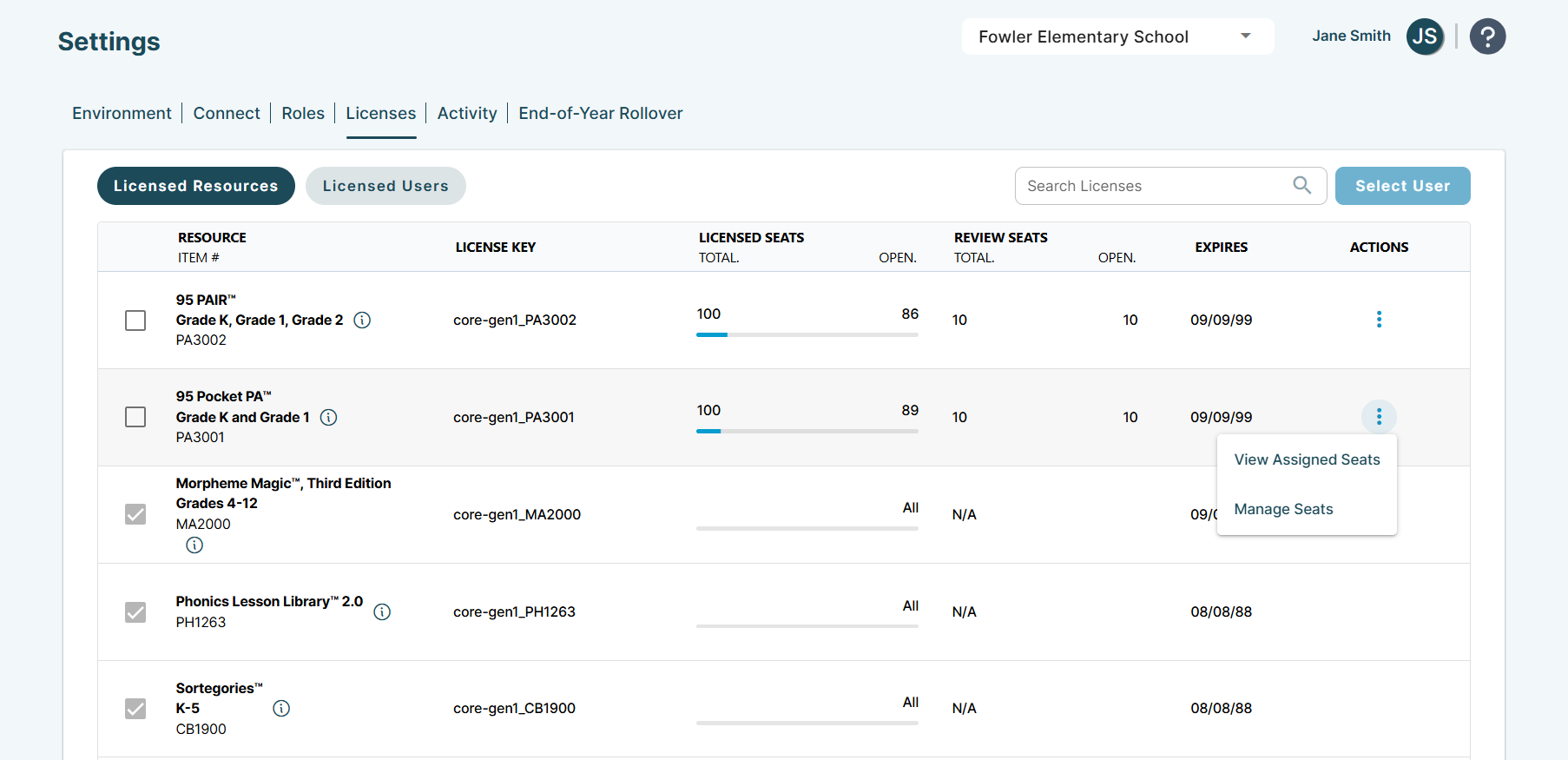
Note: This video does not yet reflect the ellipsis icon in the Licensed Resources subtab.
To access the Manage Users and Seats modal, click the ellipsis icon in the product row and select Manage Seats. The steps outlined in the video still apply.
- 00:00 – Introduction
- 00:15 – Licenses Overview
- 01:15 – Assign Users Button
- 01:25 – Inactive or Missing Users
- 02:16 – Filtering Users
- 02:33 – Assignments Overview
- 02:58 – Individual Assignments
- 03:24 – Bulk Assignments
- 04:14 – Copying Assignments
- 05:01 – Individual Assignments Visibility
- 05:14 – District Assignments Visibility
- 05:30 – Support
95 Percent Group Support is here to help! Contact us via the knowledge base support form.
To learn more about submitting tickets, reference our article on One95 Support.
Was this article helpful?
That’s Great!
Thank you for your feedback
Sorry! We couldn't be helpful
Thank you for your feedback
Feedback sent
We appreciate your effort and will try to fix the article