This video will walk you through how to group your Tier 2 students in the 95 Literacy Intervention System™ (LIS).
Note: Educators can add existing Tier 2 groups from the Active Groups tab to intervention cycles by clicking the ADD OR CREATE GROUPS button (previously CREATE A GROUP).
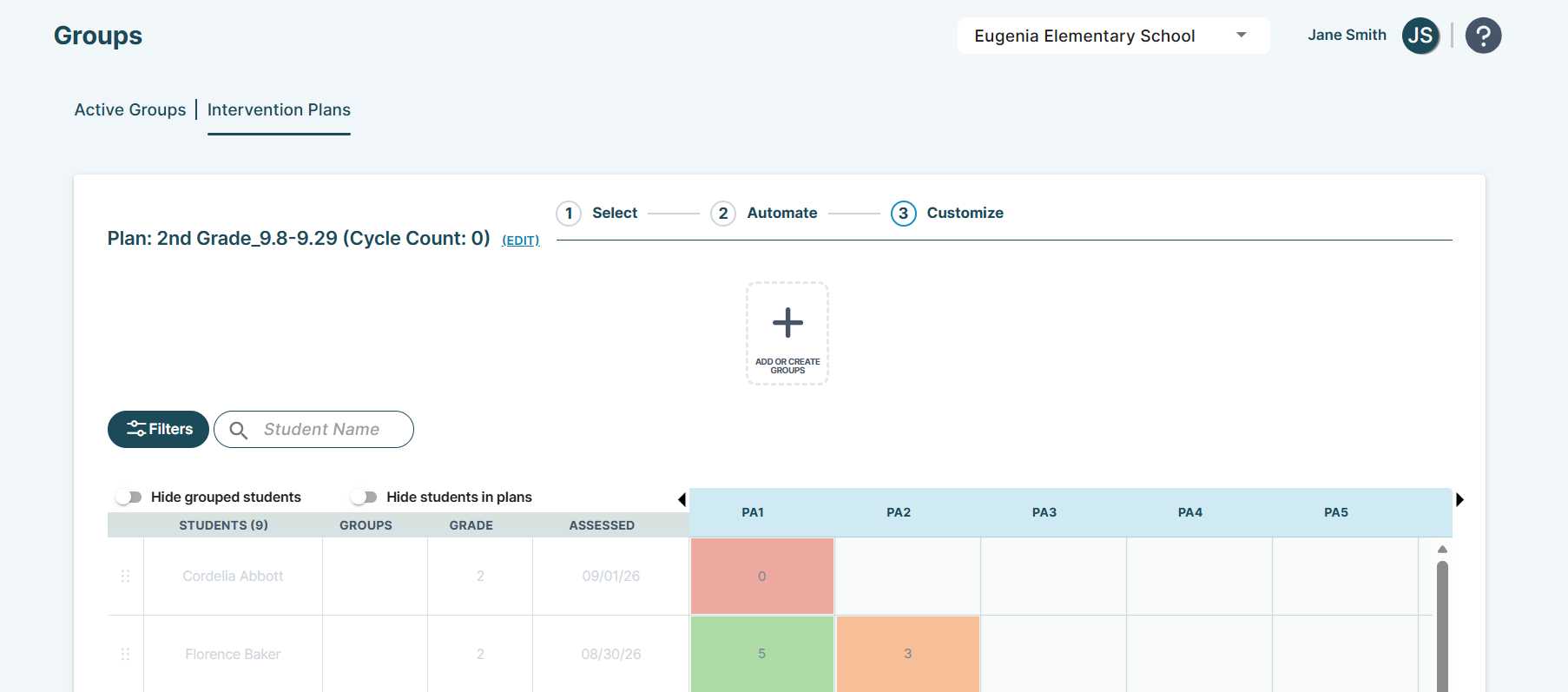
To learn more about the Add or Create Groups modal, reference our article on Groups | Intervention Plans Page.
- 00:00 – Introduction
- 00:36 – Intervention Plans Access
- 01:03 – Key Terms
- 02:22 – Grouping
- 02:56 – Select Subtab
- 04:39 – Automate Subtab (Automated-Start)
- 07:26 – Customize Subtab (Power Grid)
- 12:50 – Activating Your Intervention Plan
- 14:29 – Active Groups Tab
- 15:18 – Manual-Start
- 15:53 – Support
To learn more about useful strategies for naming your intervention plans and student groups, reference our article on Naming Conventions Best Practices & Tips.
To learn more about the power grid, reference our article on Power Grid Student Display.
95 Percent Group Support is here to help! Contact us via the knowledge base support form.
To learn more about submitting tickets, reference our article on One95 Support.
Was this article helpful?
That’s Great!
Thank you for your feedback
Sorry! We couldn't be helpful
Thank you for your feedback
Feedback sent
We appreciate your effort and will try to fix the article