Implementing Standard Naming Conventions for Effective Data Tracking
To effectively monitor and track data at the grade, school, and district levels, adopting a standard naming convention is recommended as best practice.
Whether your institution groups students by grade level, combines multiple grades, or organizes intervention plans by instructors or time slots, it's important that those responsible for grouping students follow a consistent naming convention. This helps leadership easily identify groups when analyzing student data and progress.
Choose a naming convention that matches your student grouping strategy or use the examples below to establish a consistent process for your district or school.
Intervention Plan Naming Suggestions
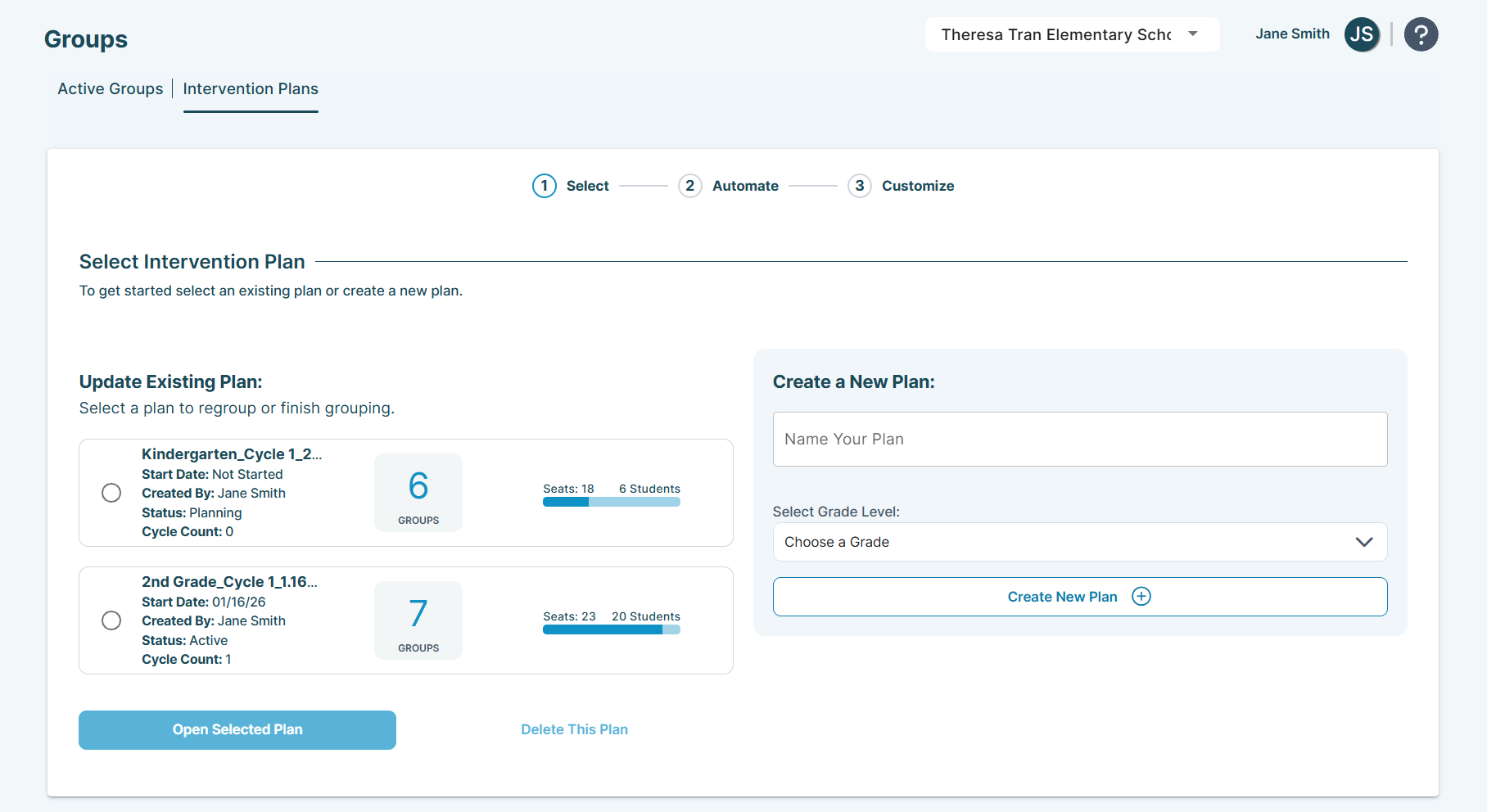
Intervention plans serve as the "shell" for your student groups for the selected grade level(s) in your plan and can be updated with each cycle. When establishing a standard naming convention at your school, consider the following:
Grade-Specific Plans:
- Common for walk-to models with multiple teachers serving same-grade groups.
- Format: [Grade] Grade_[start date]-[end date]
- Example: 3rd Grade_9.29-10.17
Multi-Grade Plans:
- Common for smaller schools without enough students for single-grade groups.
- Format: [Grade range] Grade_[start date]-[end date]
- Example: 1-2 Grade_9.29-10.17
Individual Teacher Plans:
- Common for teachers managing multiple groups (5+) or serving across grades.
- Format: [Title Last Name]_[start date]-[end date]
- Example: Mr. Jones_9.29-10.17
Time-Slot Plans
- Common for managing groups from different teachers at a specific time of day.
- Format: [Grade Level(s) Time]_[start date]-[end date]
- Example: G3-5 10:20_9.29-10.17
Group Naming Suggestions
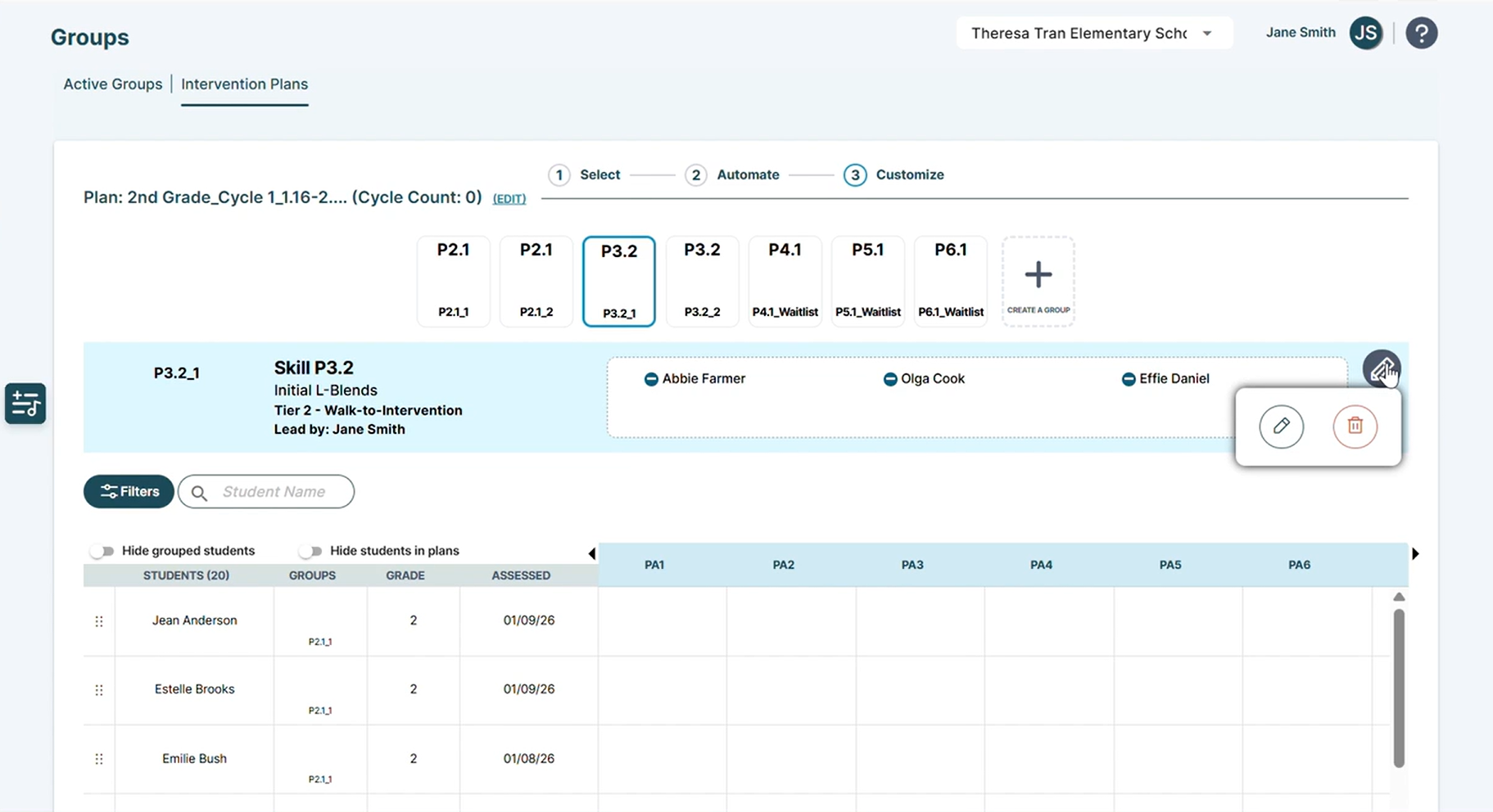
Groups are designed to organize students by similar starting skills/subskills for targeted instruction. During customization, you can modify a group’s name, shape, color, starting instructional skill/subskill, and assign an instructor. Before you begin customizing, ensure that everyone involved in group creation at your school is aligned with a standard naming and customization strategy. Refer to the best practices for group naming and customization below.
Group Name
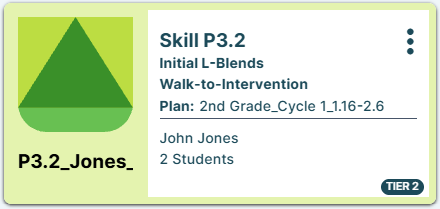
- The group name should incorporate the starting skill along with the grade or instructor. If multiple groups share the same starting skill, consider appending an "A" or "B" at the end.
- Format: [Starting Skill/Subskill]_[Grade or Teacher]
- Examples: P9.1_Grade 4-5; P1.3_Jones_A; P1.3_Jones_B
Shape & Color
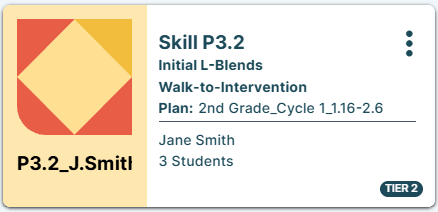
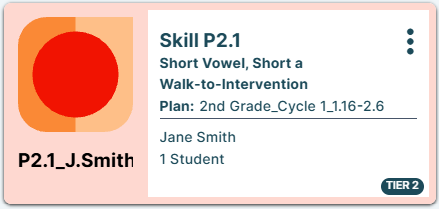
- Assign a unique shape and color to specific sets of students.
- Grade Specific Examples:
- Kinder = Purple Elephants
- 1st grade = Green Crocodiles
- 2nd grade = Red Circles
- Instructor Examples:
- Mr. Jones groups = Green Triangles
- Ms. Foster’s groups = Purple Hippos
Discover Grouping Options and Craft Your First Intervention Plan!
Automated or Manual Start: Making the Right Choice for Your Intervention Plans: Explore the differences between Automated- and Manual-Start options for Tier 2 intervention plans and how to begin using them effectively.
Developing Your First Intervention Plan with Student Groups: Access detailed guidance on creating your first intervention plan and organizing student groups.
95 Percent Group Support is here to help! Contact us via the knowledge base support form.
To learn more about submitting tickets, reference our article on One95 Support.
Was this article helpful?
That’s Great!
Thank you for your feedback
Sorry! We couldn't be helpful
Thank you for your feedback
Feedback sent
We appreciate your effort and will try to fix the article