First, Spot Check Your Student Assessment Scores
Before grouping your students, it’s important to review how assessors are scoring student assessments to ensure consistency in best practices.
- Navigate to the Students page from the left navigation panel and select the Current Assessment tab. Use the filter options to review assessments by grade level.
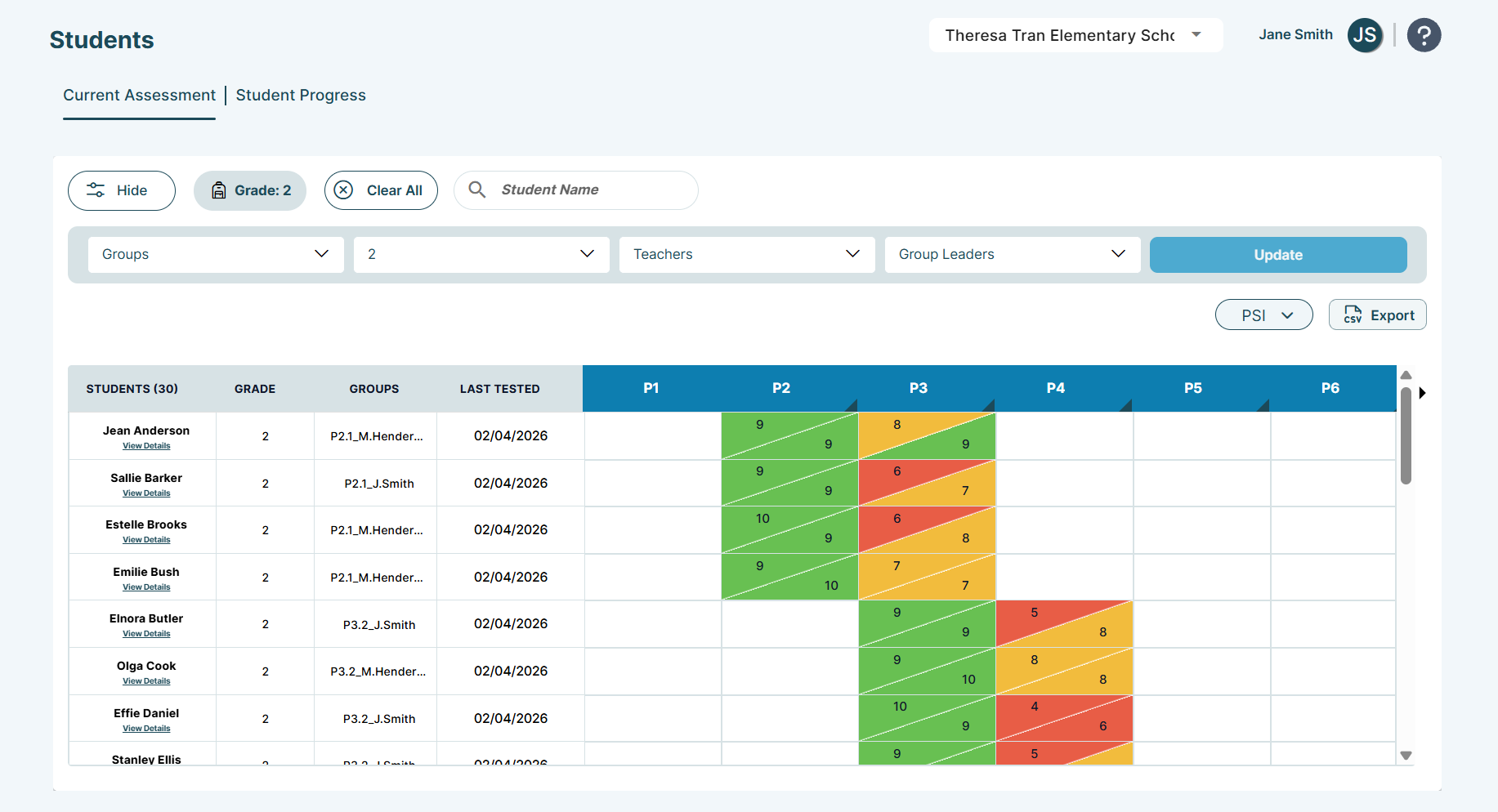
- Then, use the Grade Level & Time of Year Guidance Chart and the When to Stop Assessments Chart to ensure assessors started with the correct assessment and skill and stopped when students fell below proficiency for each grade level.
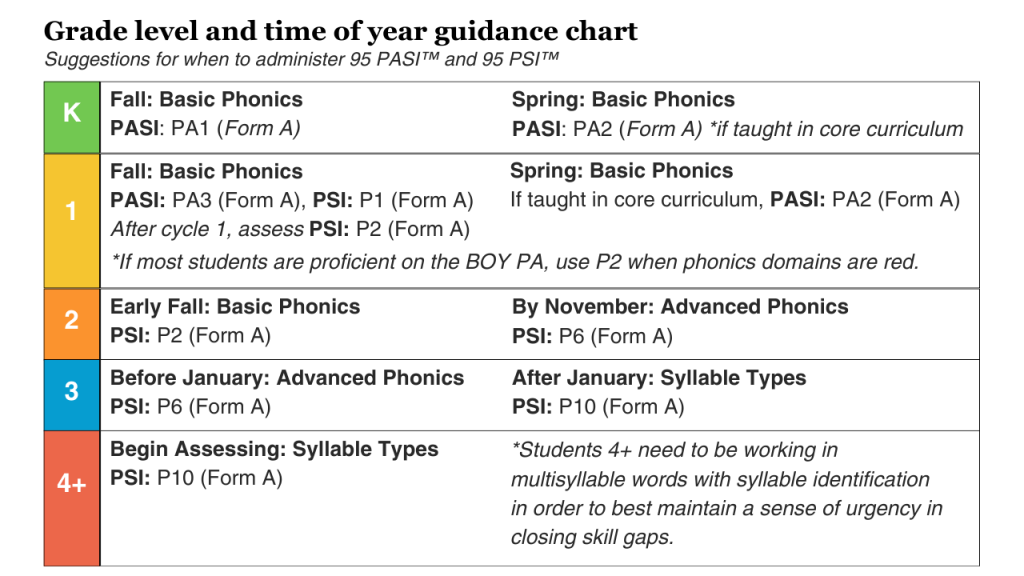 | 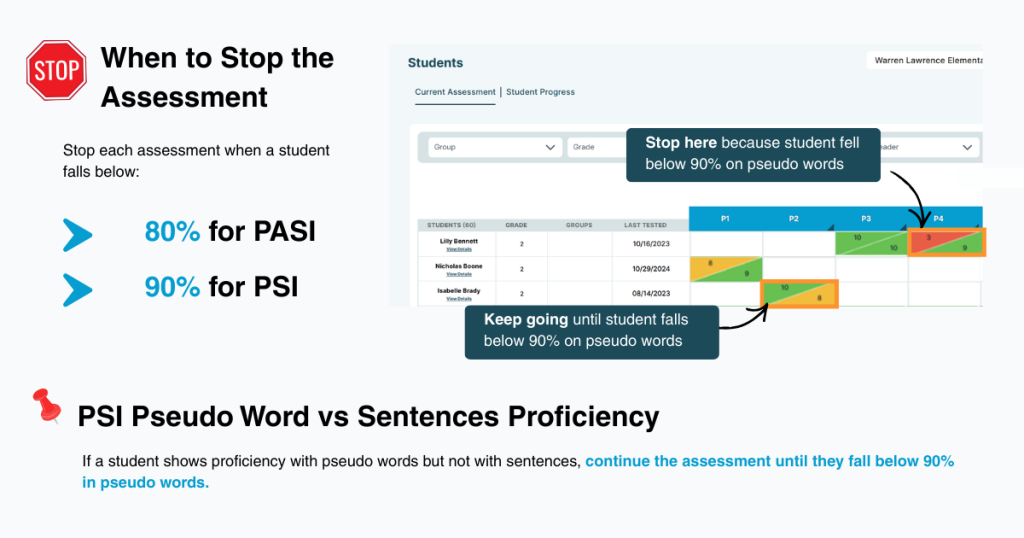 |
Do some educators need a refresher on when to start and stop assessments? Share the Assessment Starting, Scoring, & Stopping Guidance article.
Understanding the Intervention Plan Feature & Its Capabilities
To create your first intervention plan, let's first familiarize ourselves with key terms from the 95 Literacy Intervention System™ (95 LIS™)!
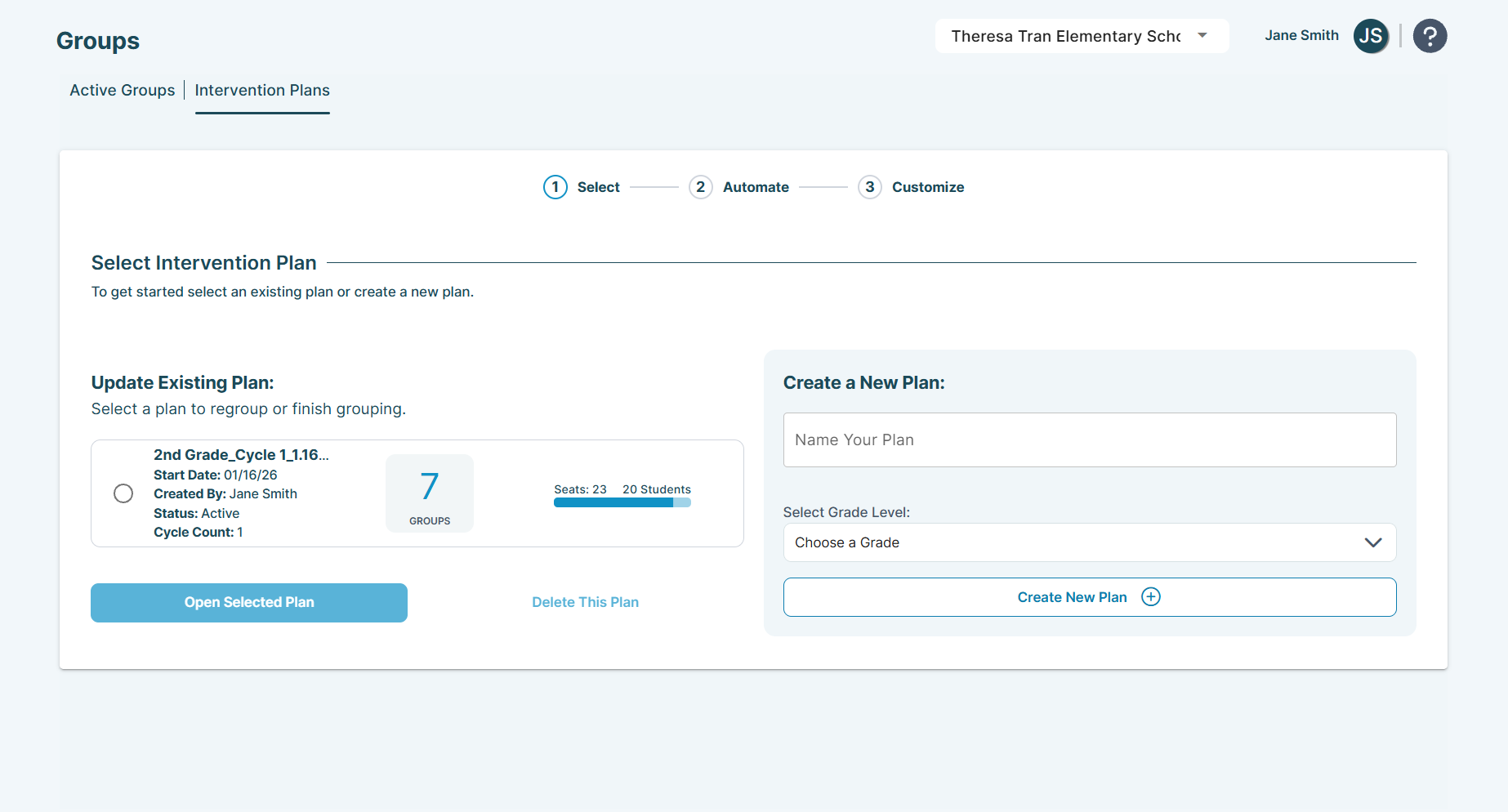
Intervention Plans: These act as the "shell" that holds your student groups for the grade level(s) you have chosen to include in your plan.
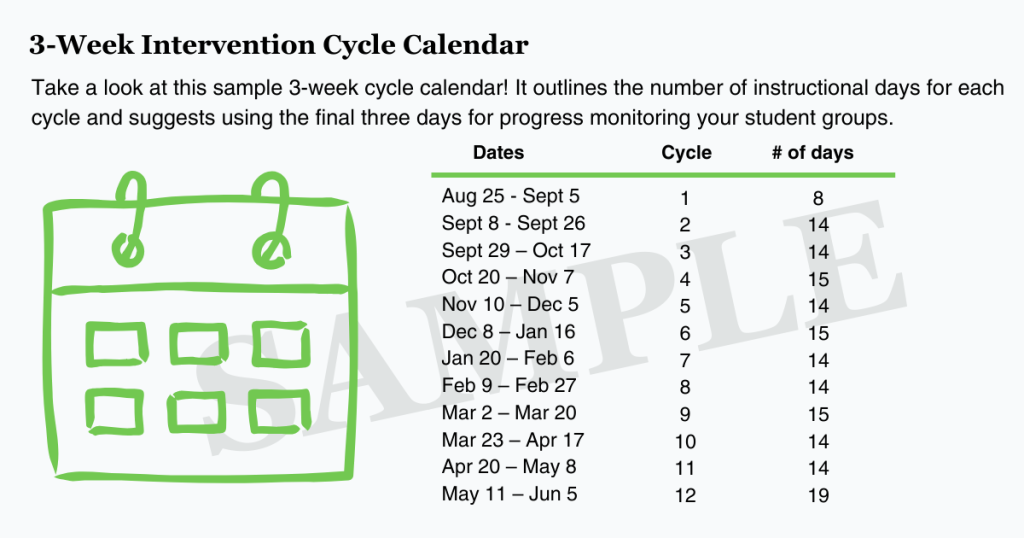
Cycles: This refers to the duration of targeted instruction before progress monitoring. Make sure to align your cycles with your intervention cycle calendar.
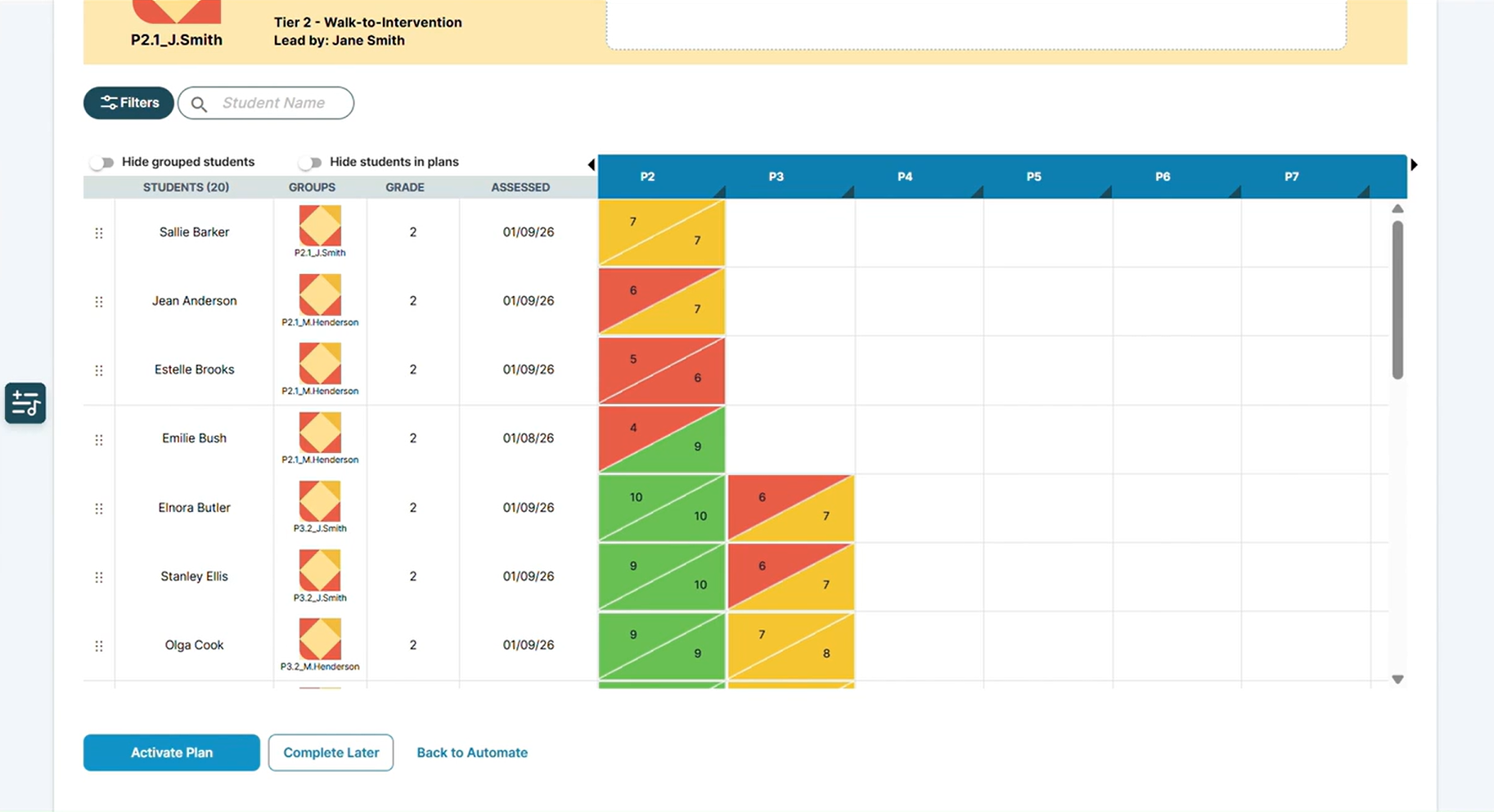
Power Grid: Displays the student's most recent Phonemic Awareness Screener for Intervention™ (PASI) and/or Phonics Screener for Intervention™ (PSI) skill and subskill data, color-coded as red, yellow, and green to indicate the student's proficiency level.
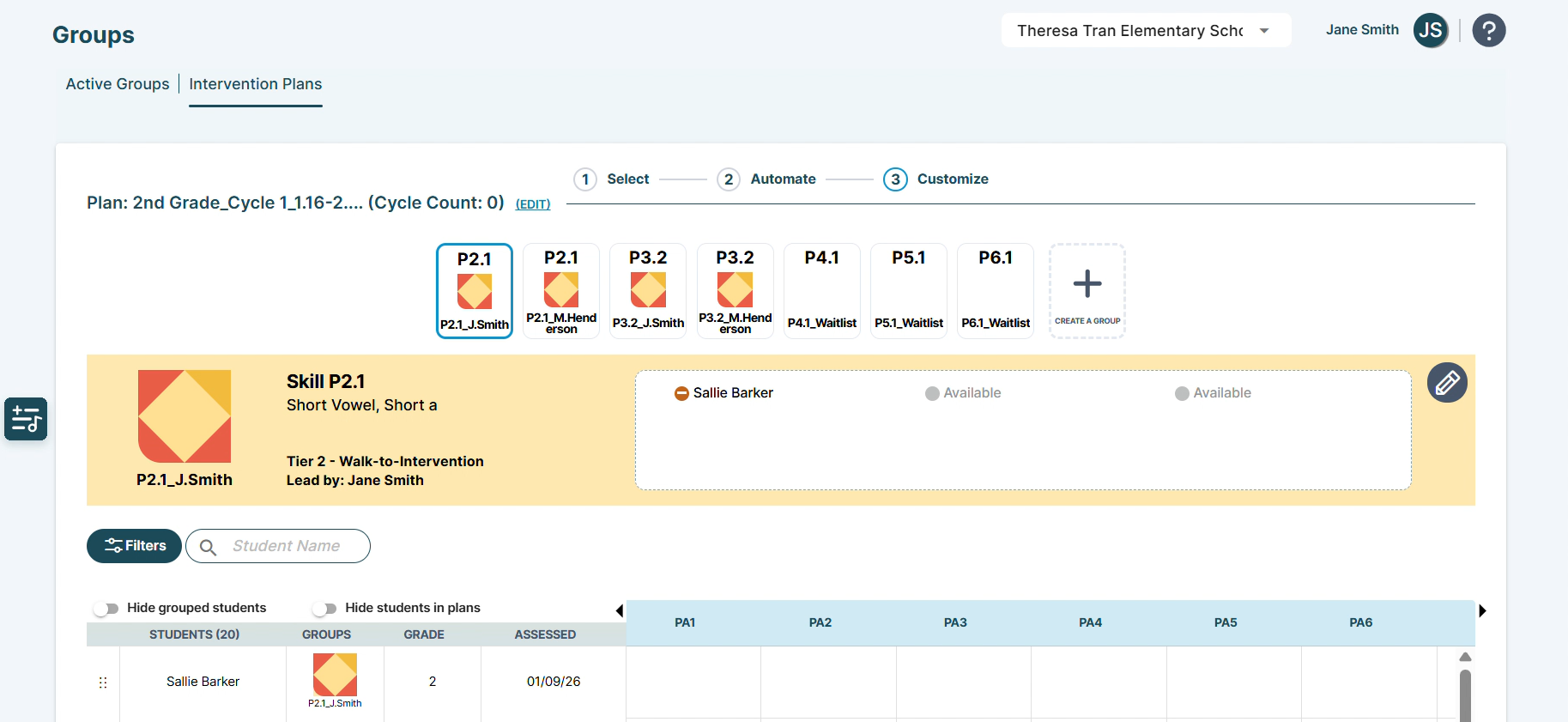
Groups: These are where you place students based on similar starting skills/subskills for targeted instruction.
How Intervention Plan Features Work Together
The 95 LIS allows you to create multiple intervention plans to organize your active groups from cycle to cycle, using students' most recent PASI or PSI assessment data displayed on the power grid.
You can structure these plans by grade level, across multiple grades, by group leader, instruction time, or any strategy that fits your school's grouping approach—creating one intervention plan at a time.
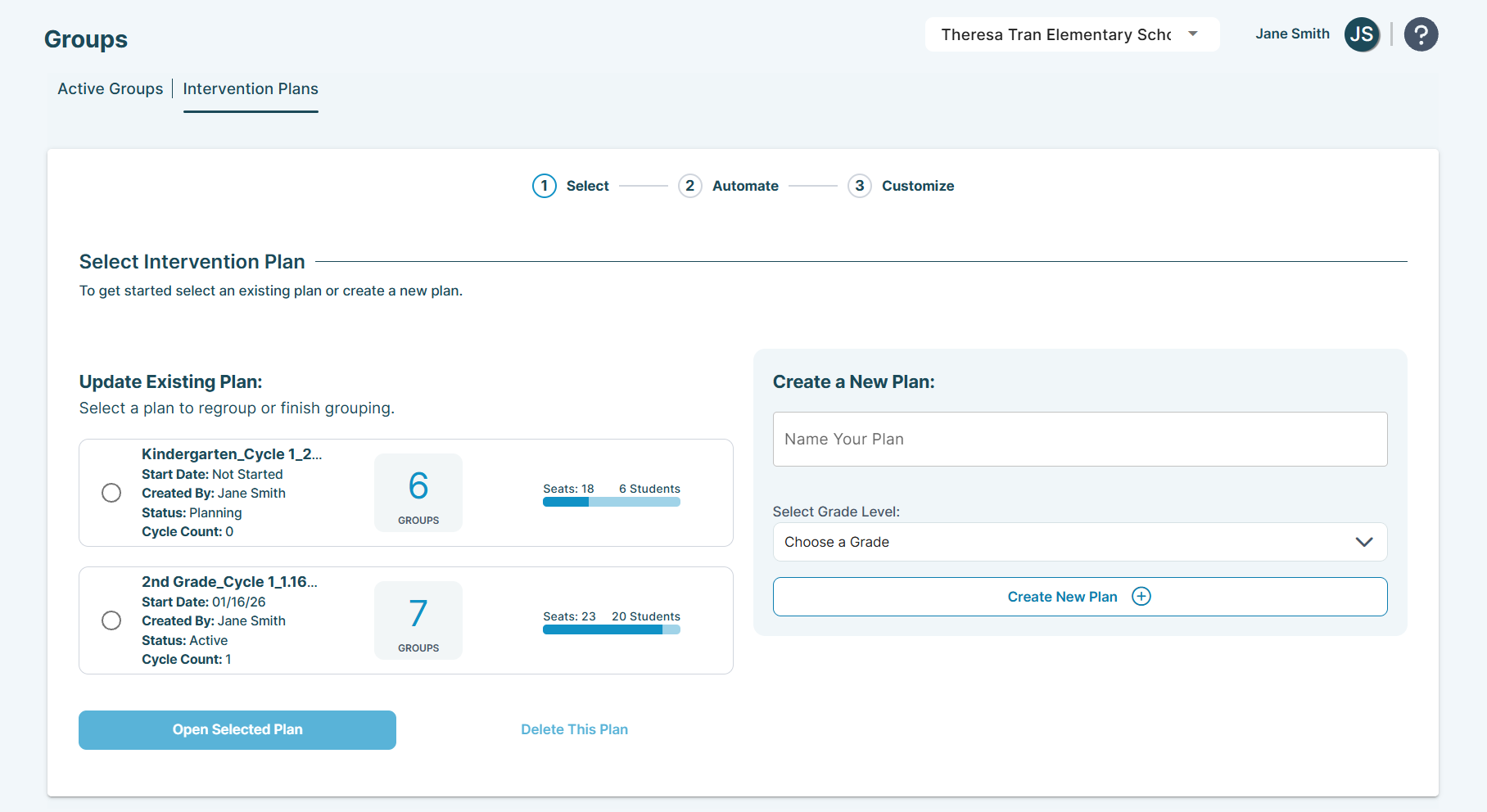
After creating your intervention plans for the first cycle, simply revise them for each subsequent cycle by adjusting the groups within them—you don't need to delete and start over.
For a deeper dive into the Intervention Plans feature, read the Groups | Intervention Plans Page.
3 Steps to Create an Intervention Plan
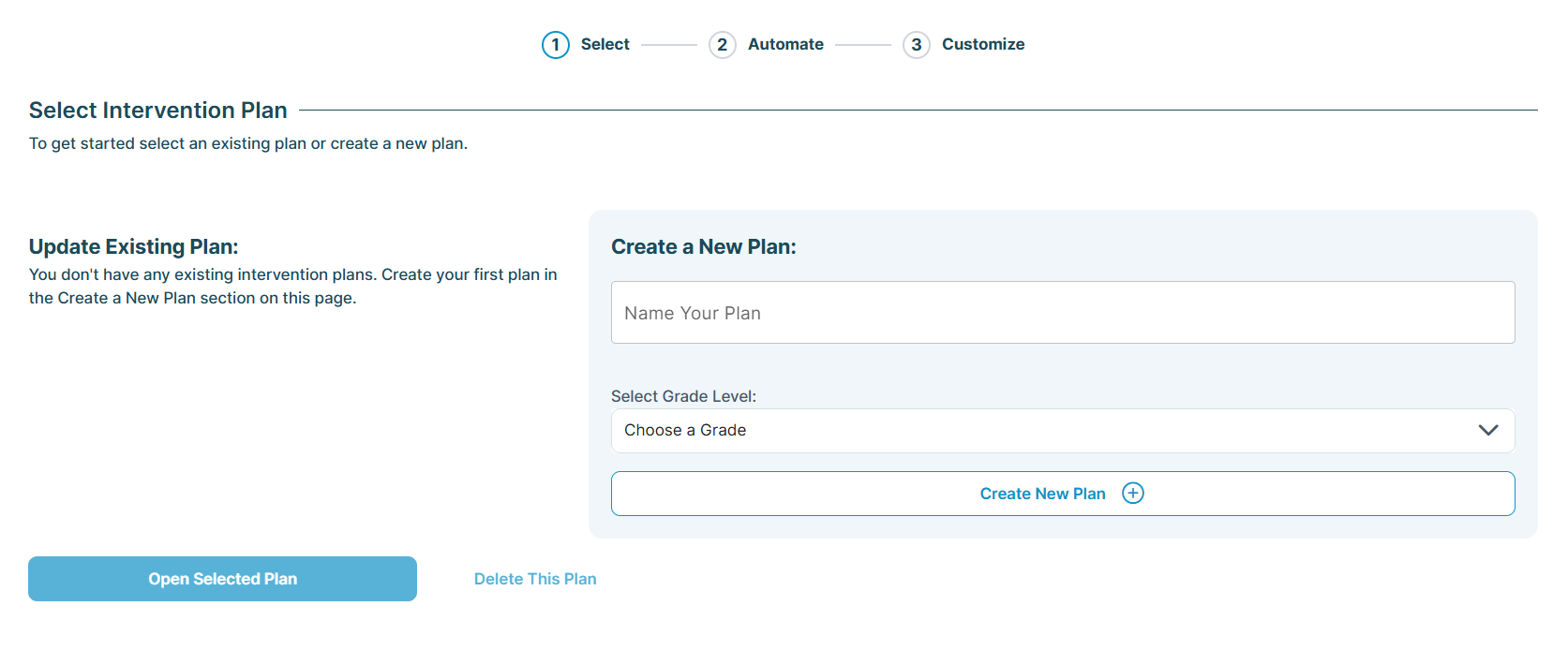
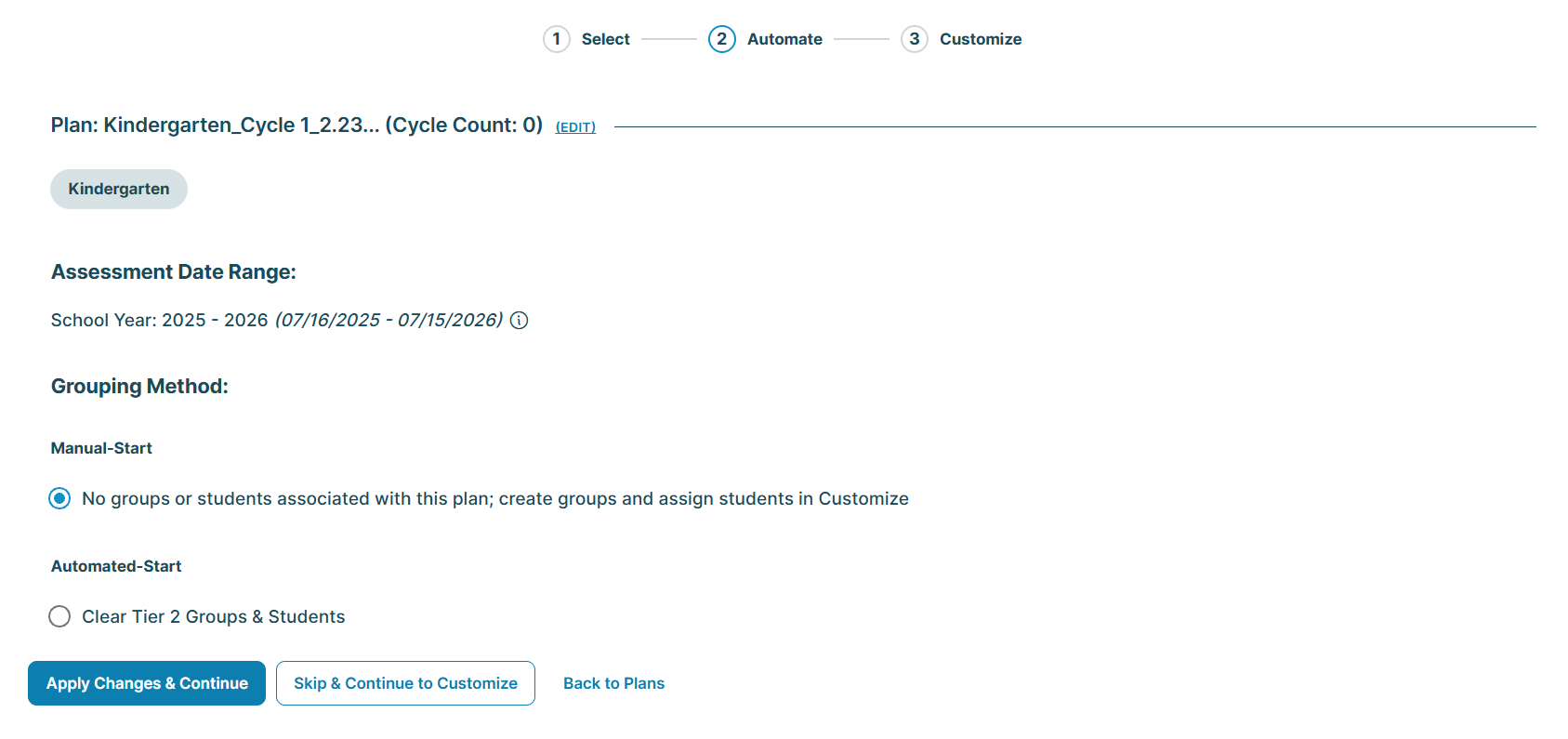
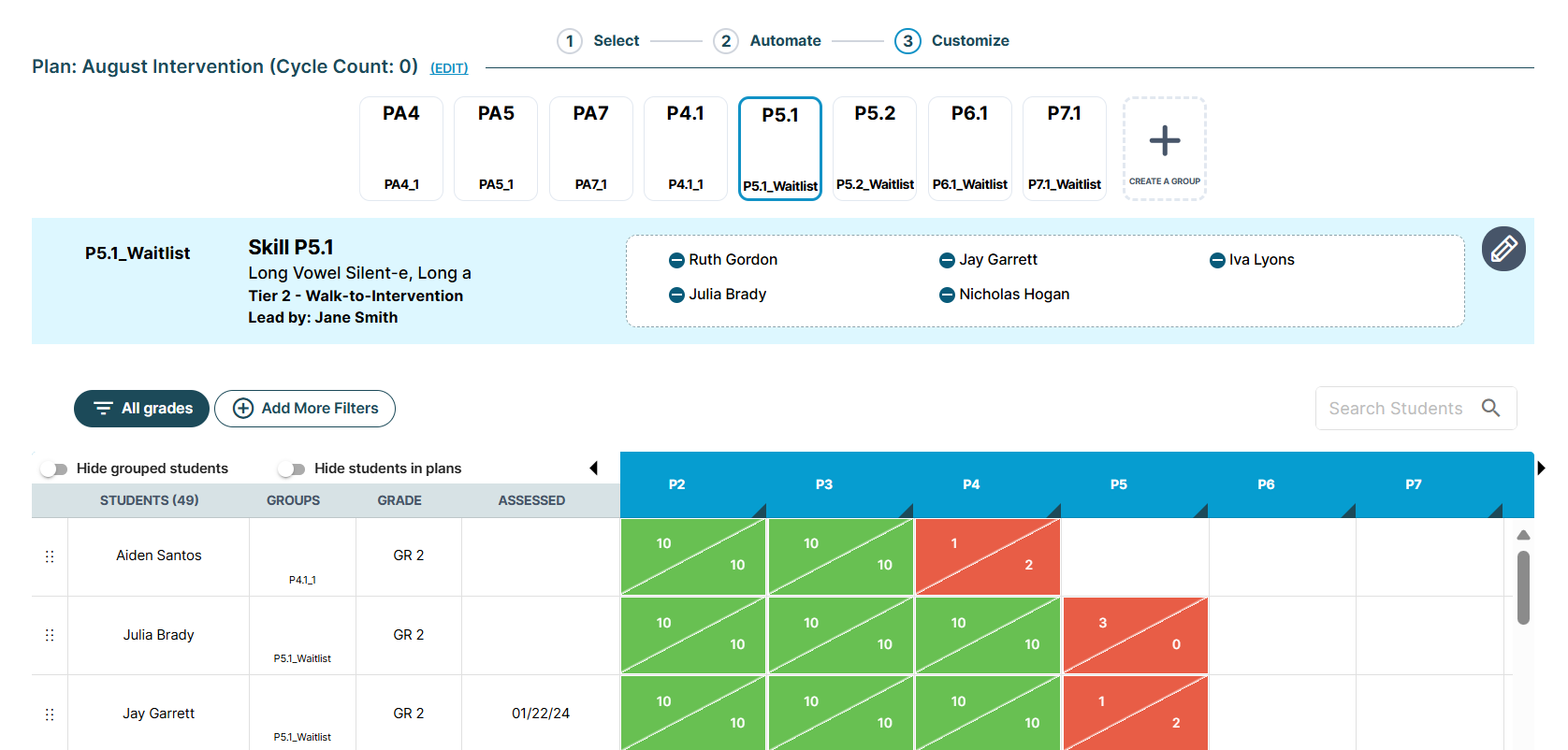
Creating your intervention plans involves a three-step process: Select, Automate, and Customize.
- Select: Start by choosing the grade(s) you want the 95 LIS to consider for your intervention plan (e.g., grade 1).
- Automate: Decide whether to use the Automated- or Manual-Start option, informing the 95 LIS how to consider your students' most recent assessment scores.
- Customize: Based on your choice, build or adjust your groups using the power grid and your knowledge of your students.
Discover Grouping Options and Naming Convention Best Practices
Automated or Manual Start: Making the Right Choice for Your Intervention Plans: Explore the differences between Automated- and Manual-Start options for Tier 2 intervention plans and how to begin using them effectively.
Naming Conventions Best Practices & Tips: Discover useful strategies for naming your intervention plans and student groups with clarity and precision.
95 Percent Group Support is here to help! Contact us via the knowledge base support form.
To learn more about submitting tickets, reference our article on One95 Support.
Was this article helpful?
That’s Great!
Thank you for your feedback
Sorry! We couldn't be helpful
Thank you for your feedback
Feedback sent
We appreciate your effort and will try to fix the article