Implement 95 Literacy Intervention System™ With Confidence
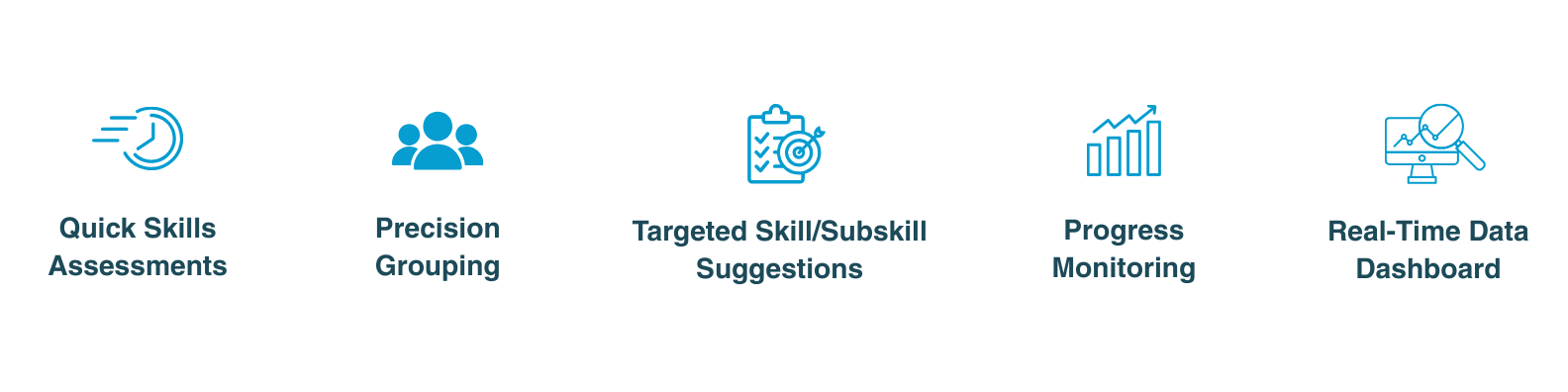
The 95 Literacy Intervention System™ (95 LIS™) uses digital diagnostic assessments to quickly identify students' phonemic awareness and phonics skill gaps, enabling targeted intervention grouping and providing real-time progress-monitoring data to help educators optimize instruction.
Key Features of the 95 LIS
95 LIS & Your Intervention Strategy
Once you've identified students needing support with your Universal Screener, give each student a diagnostic assessment using the Phonemic Awareness Screener for Intervention™ (PASI) and/or the Phonics Screener for Intervention™ (PSI).
Next, the 95 LIS will analyze your student data and suggest groupings along with recommended starting skills and subskills, giving you clear guidance on where to begin instruction with each group.
Then, you'll deliver targeted instruction based on each group's needs. At the end of your intervention cycle, you'll use the PASI and PSI again to monitor student progress and determine new groupings and starting skills for the next cycle, creating a continuous cycle of assessment, instruction, and progress monitoring that aligns with your intervention cycle calendar.
5 Steps to Move From Diagnostic Assessments to Targeted Instruction
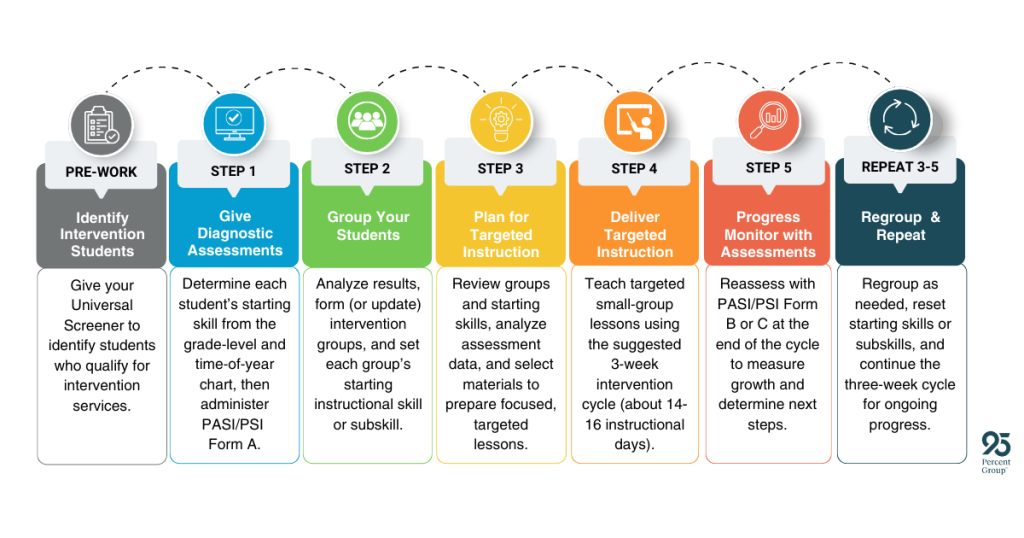
Supporting You Through Each Step of the Process
Wherever you are in this 5-step process, we have resources to support you! Check them out below:
- Step 1: Give Diagnostic Assessments
- Step 2: Group Your Students
- Step 3: Plan for Targeted Instruction (coming soon)
- Step 4: Delivery Targeted Instruction (coming soon)
- Step 5: Progress Monitor with Assessments (coming soon)
- Regroup & Repeat (coming soon)
95 Percent Group Support Options
If at any point you need help with One95™, the 95 LIS, or your digital 95 Percent Group products, choose the option that fits your needs. Don’t forget to bookmark each link for your future needs.
Access the Help Center
Click the Help Center button in the lower-right corner of any One95 page to browse support materials, explore the One95 Knowledge Base, and search frequently asked questions.
Browse the Knowledge Base
Click the question mark icon in the top-right of any One95 page or visit:
Submit a Support Ticket
If you can’t find what you need, open a ticket via the One95 Knowledge Base at:
95 Percent Group Support is here to help! Contact us via the knowledge base support form.
To learn more about submitting tickets, reference our article on One95 Support.
Was this article helpful?
That’s Great!
Thank you for your feedback
Sorry! We couldn't be helpful
Thank you for your feedback
Feedback sent
We appreciate your effort and will try to fix the article